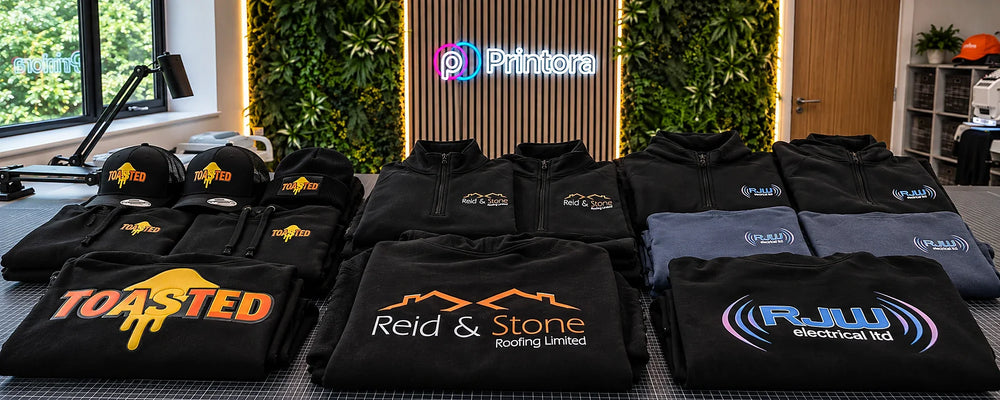

DTF gang sheets make it possible to place several transfer designs onto one printable sheet. Instead of ordering each logo, name or graphic separately, the available space can be arranged efficiently and cut into individual transfers after printing.
This makes gang sheets useful for clothing brands, workwear suppliers, hobby printers, sports teams and anyone producing several garments or designs at once. You can build a Printora DTF gang sheet using correctly prepared artwork and select the sheet length that suits the job.
What does DTF mean?
DTF stands for Direct to Film. The design is printed onto specialist film, covered with adhesive powder and cured. It is then transferred onto a suitable garment using controlled heat and pressure.
Unlike processes that require a separate screen for every colour, DTF can reproduce detailed, full-colour artwork, gradients and small quantities efficiently. Our DTF vs screen printing guide explains where each method works best.
What is a DTF gang sheet?
A gang sheet is one larger sheet containing several separate designs. These might include repeated company logos, different customer orders, names and numbers, or a mixture of print sizes.
The aim is to use the printable width and length efficiently without overlapping artwork. Once the sheet arrives, each transfer is cut out and pressed separately.
Why use a gang sheet?
- Less wasted space: multiple designs can share the same sheet.
- Flexible quantities: include one-off prints and repeated logos together.
- Full-colour detail: suitable artwork can include gradients and fine detail.
- Easy repeat production: save the original layout for future orders.
- Useful for workwear: combine chest logos, back prints and staff names.
For advice on choosing chest, back, sleeve and hood positions, read our workwear logo placement guide.
How to prepare artwork for a DTF gang sheet
Use high-quality artwork at the final intended print size. A transparent PNG is suitable for many finished raster designs, while vector artwork can be useful for logos that need resizing.
Check the edge of every design for white boxes, grey halos and unwanted background pixels. Small text and very thin lines should also be inspected at actual print size.
Our complete DTF artwork preparation guide covers resolution, transparency, colour, sizing and final pre-upload checks.
How to arrange a gang sheet
Leave enough room around every design for cutting. Artwork should remain inside the printable boundary and should never overlap another transfer.
- Set each design to its required physical size.
- Place the largest designs first.
- Use smaller logos and names to fill remaining gaps.
- Keep a practical cutting space between transfers.
- Check spelling, numbers and quantities before submitting.
Do not stretch a logo disproportionately simply to fill a space. It is better to leave a small gap than distort the artwork.
How to apply a DTF transfer
Application settings can vary by film, powder, garment and press, so always follow the instructions supplied with the transfer. A typical process includes:
- Pre-press the garment briefly to remove moisture and creases.
- Position the transfer with the printed design facing the garment.
- Apply the specified temperature, pressure and time using a heat press.
- Allow the transfer to cool or peel at the instructed stage.
- Complete any recommended finishing press with a protective sheet.
Consistent pressure is important. A household iron does not normally provide the same even pressure, temperature control or pressing area as a heat press, so results may be unreliable.
Common DTF mistakes to avoid
| Mistake | Why it causes problems | Better approach |
|---|---|---|
| Uploading a small screenshot | It can become blurred or pixelated at print size | Use the original high-resolution or vector artwork |
| Leaving a white background | The background may print as part of the transfer | Use genuine transparency where no ink is wanted |
| Incorrect pressure | The adhesive may not bond evenly | Use a suitable heat press and follow the supplied settings |
| Printing over seams or zips | The surface prevents even pressure | Choose a flat, suitable decoration area |
| Harsh washing | Heat and abrasion can shorten print life | Follow the correct garment aftercare routine |
How to wash DTF-printed clothing
Wait before the first wash, turn the garment inside out and use a cool cycle subject to the garment care label. Avoid bleach, harsh stain removers and direct ironing over the print. Air drying is the gentlest option.
See our full guide on how to wash printed clothing and make DTF prints last longer.
DTF for custom workwear
DTF is useful for detailed company logos, large back designs, colourful artwork and shorter workwear runs. For compact chest logos on polos and fleeces, embroidery may also be worth considering.
Compare the finishes in our embroidery vs DTF printing guide, or browse Printora custom workwear.
Frequently asked questions
Do I need to mirror my artwork?
Only mirror the artwork when the supplier’s instructions require it. Many gang sheet builders and production workflows handle mirroring automatically.
Can I mix different designs on one gang sheet?
Yes. A gang sheet can contain different logos, sizes, names and graphics, provided every item stays within the printable area and has enough cutting space.
Can I use an iron instead of a heat press?
An iron may not provide even pressure or accurate temperature control. A suitable heat press is strongly recommended for consistent results.
Which fabrics can be used?
DTF can work on many cotton, polyester and blended garments, but compatibility and application settings should always be checked for the exact fabric.